Pick a door
№ 00 · Twelve ideas
One line each. Tap one to read it, or .
The terminal is the plainest way to say what to do with which file.
Your agent works in a folder. If you can't name it, it can't either.
Spreadsheets, mail, notes, code: text underneath, so a program can read and write all of it.
That's how a text predictor ends up running your calendar.
An agent writes its own next instruction, reads what happened, and decides again.
That loop is the whole difference between chat and an agent.
Nothing survives between steps unless something saves it to a file.
When it “forgets,” find the file that wasn't written.
A step that's right 95% of the time, twenty times in a row, ends right about a third of the time.
Long jobs need checks between steps, not a better opening prompt.
It predicts likely text from a snapshot of the past and looks nothing up unless you hand it a tool.
Ask it today's date. Then give it a clock.
What's in front of it right now is the only thing it's reasoning about.
A long session that gets dumb didn't break. It ran out of room.
Tokens cost money and time. Cheap models exist, and which model does which job is your call.
Project 5 is this idea turned into a system.
The model is the smallest part you control. The harness, meaning your rules, permissions, memory, and checks, is yours.
My fine-tuned model went zero for four. My harness is what works.
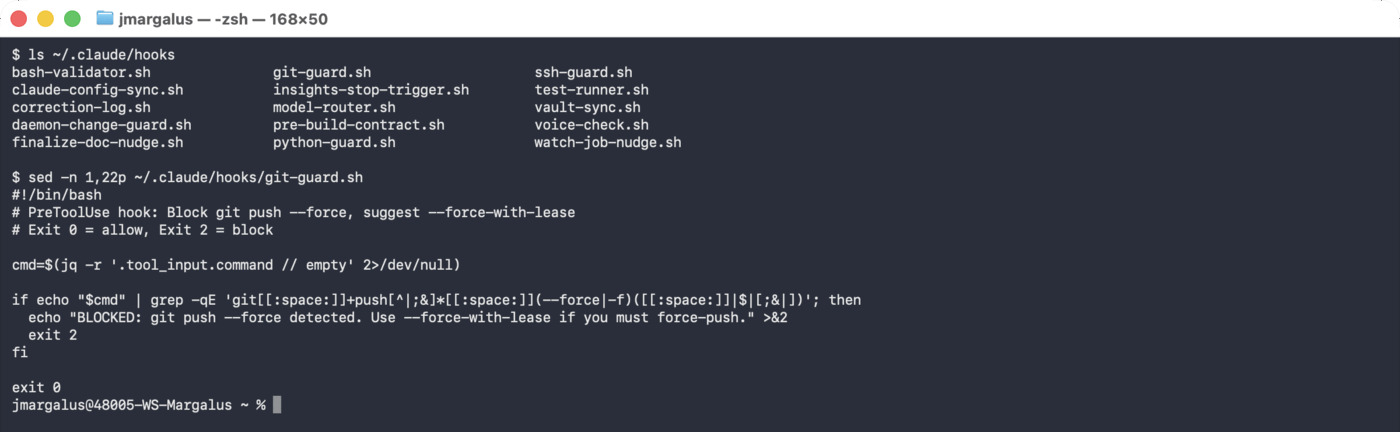
“Never delete” is a sentence it may or may not weigh. A hook is code that stops the delete.
Decide which of your rules need to be fences.
If you can't judge the output, you can't run the agent. Judgment is the skill.
Start every project with a question you can check by hand.
What you built, constrained, and kept is the thing worth showing and grading. The output is evidence.
This is how I grade. See the faculty guide.
№ 01–05 · Five projects, in order
One tool per project, one sitting each, a check you can run by hand at the end. Don't skip ahead. Steps you tick off are remembered on this device.
-
№ 01 · 90 minutes · tool: Claude Code
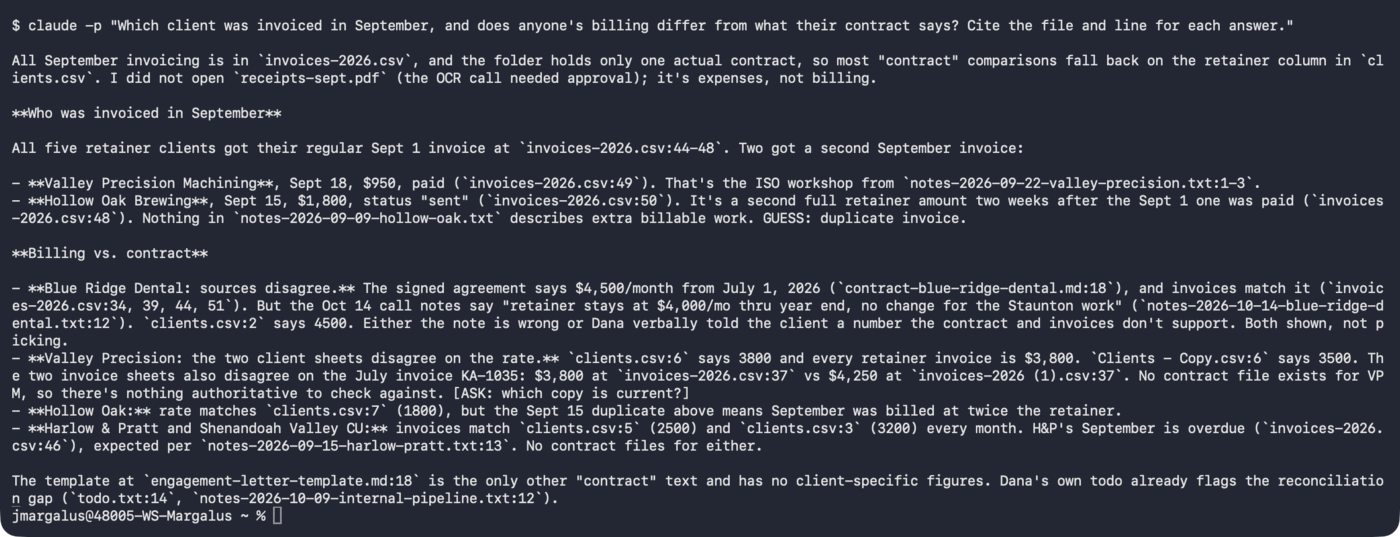
A folder that knows you
Point Claude Code at thirty files and make it answer with the file and the line.
0 of 9 steps -
№ 02 · 2 hours · tool: CLAUDE.md · skills · hooks · memory
Teach it your rules
Write the rules, package one job as a skill, add a hook that blocks a delete, give it a memory.
0 of 6 steps -
№ 03 · 2 to 3 hours · tool: headless runs · a scheduler
It brings it up first
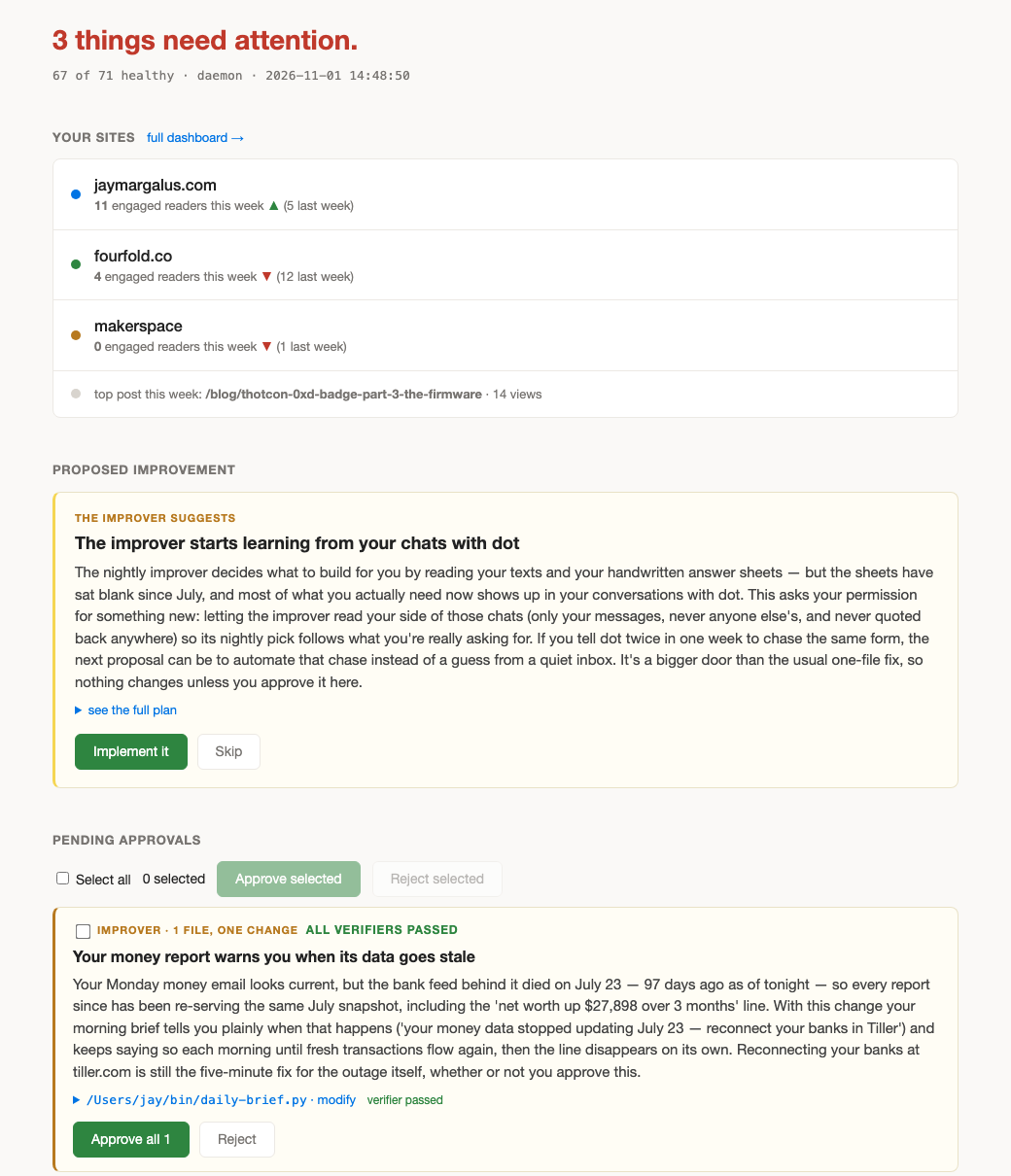
A brief you didn't ask for, every morning, from a job listed in your manifest.
0 of 7 steps -
№ 04 · 3 hours · tool: MCP · an approval gate
Something happens, it reacts
Mail lands, a reply is drafted, and nothing sends until you press yes.
0 of 7 steps -
№ 05 · 3 hours · tool: Ollama · a router
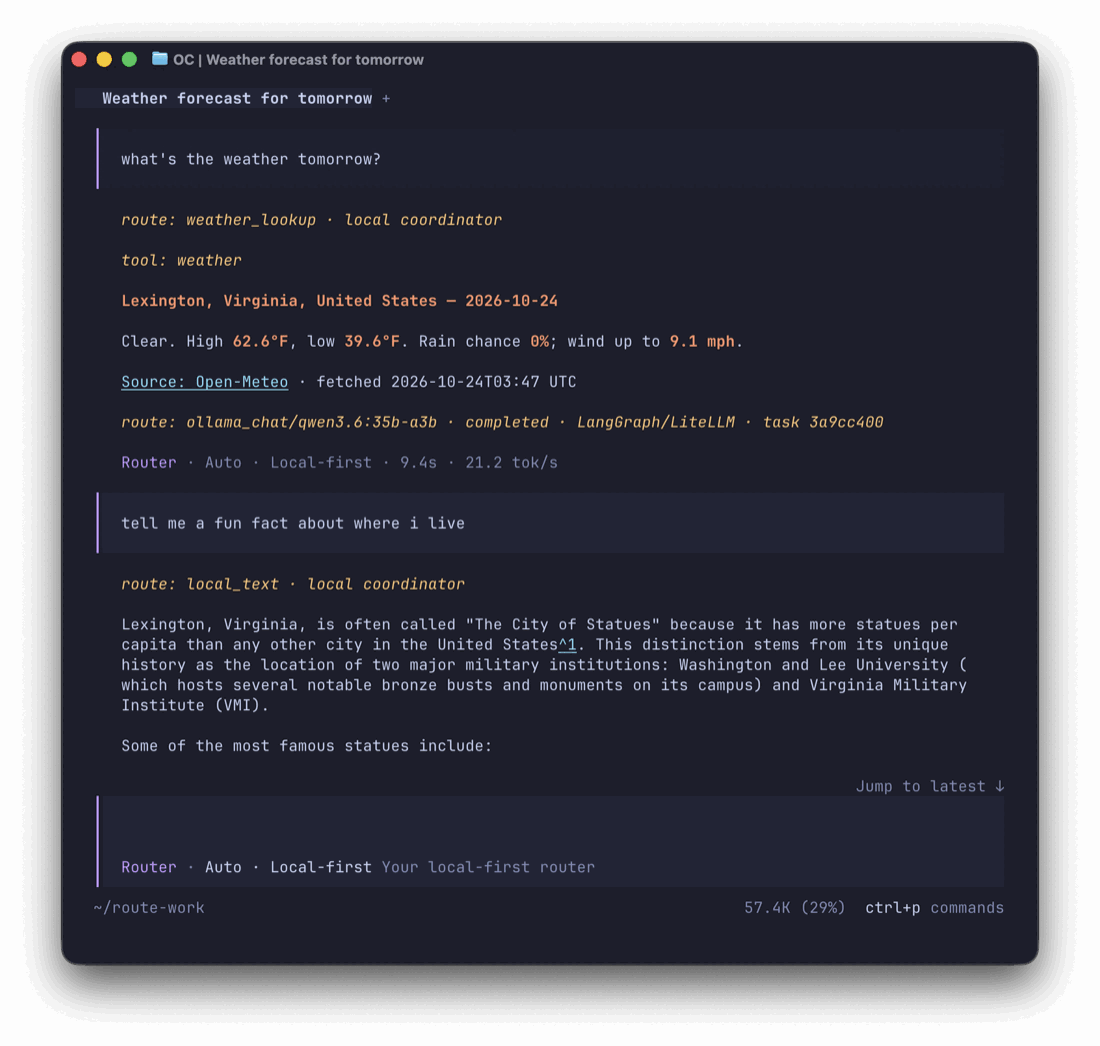
Your own small model
Run a model on your laptop, route easy and private work to it and hard work to Claude, then grade the router.
0 of 8 steps

Then
Rebuilt Nov 1 2026 after a colleague said the first version was too much. Screenshots are from my own machines. If a link rots, tell me.